
For AI
Manage participants
See who registered to bid, what they're bidding on, and what they owe
Participants are the guests who registered to bid. Bidders register themselves on your auction page, so there’s nothing to set up. They appear here the moment they sign up.
See everyone who registered
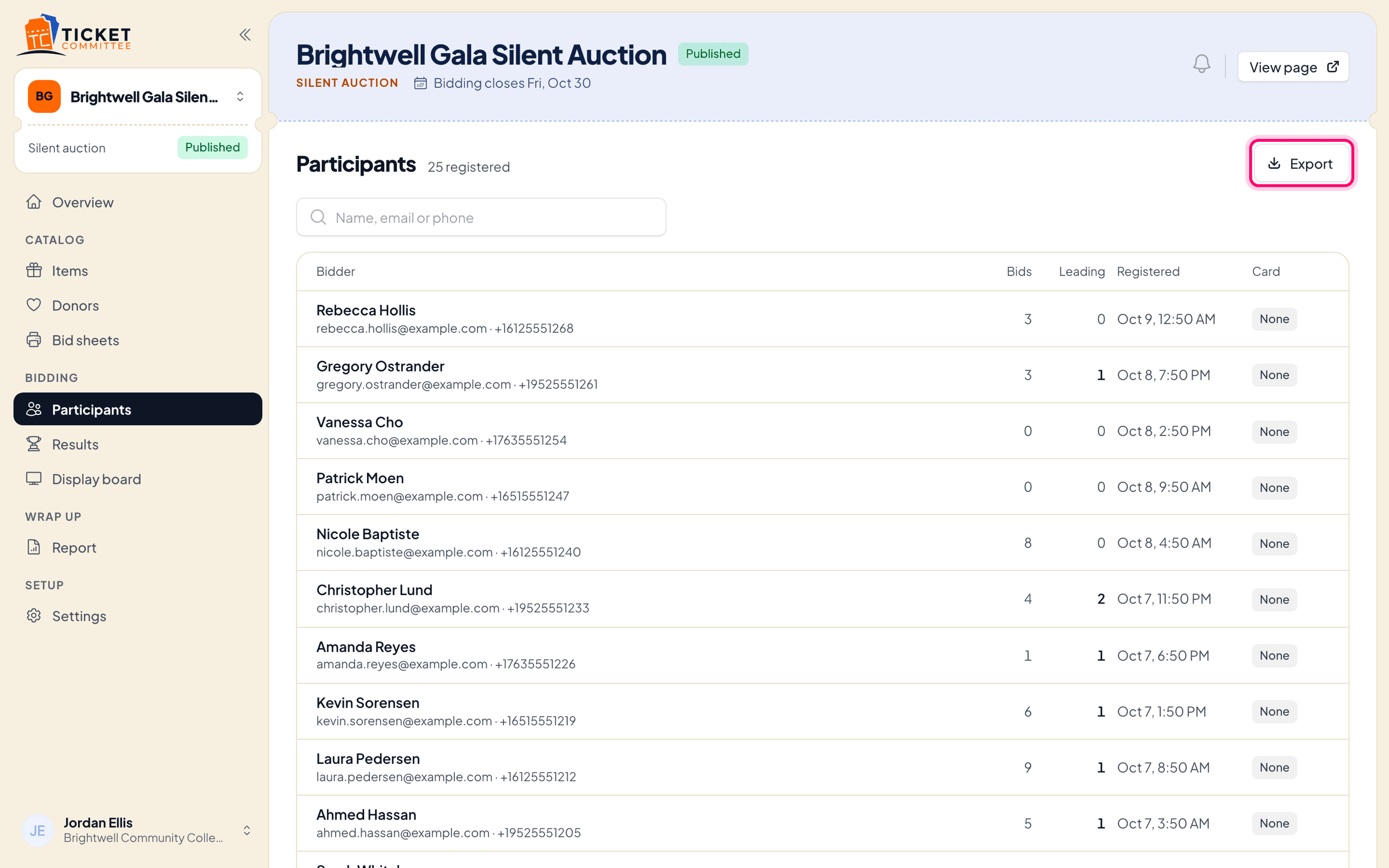
Section titled “See everyone who registered”Open your auction and go to Participants. The list shows each bidder’s:
- Name, email, and phone
- Bids: how many bids they’ve placed
- Leading: how many items they’re currently winning
- Registered: when they signed up
- Card: On file if they saved a card, or None
Search by name, email, or phone. Click Export to download the list as a CSV file.
Look at one bidder
Section titled “Look at one bidder”Click a bidder’s name to open their page. At the top you’ll see:
- Lots bid on
- Leading: items they’re winning right now
- Won: items they won after bidding closed
- Still owes: winning bids that haven’t been paid yet
Below that:
- Lots they bid on: each item, their top bid, the current bid, and their status (Winning, Outbid, Won, Lost, or Withdrawn)
- Messages sent to them: every email and text the auction sent, like outbid alerts and receipts, with delivery status
- Contact: email, phone, whether they get Email only or Email and texts, card status, when they registered, and when they Accepted terms
- Payments: each charge and whether it’s paid
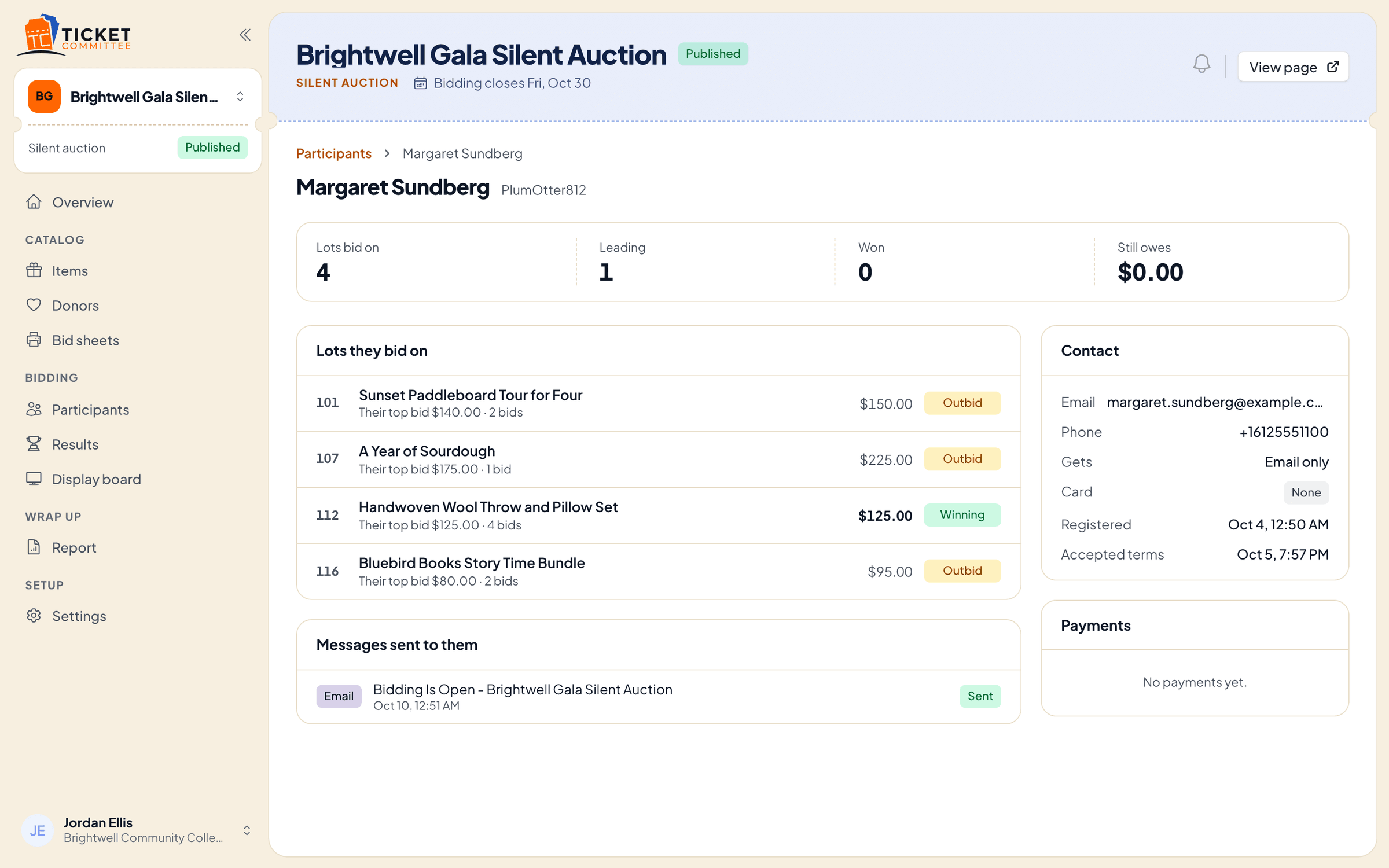
This page is the quickest way to answer “Did I win?” or “Why didn’t I get a text?” at the checkout table.
Common questions
Section titled “Common questions”A guest says they can’t register with their phone number. Each phone number can only be used by one bidder per auction. Ask them to use a different number, or sign in if they already registered.
A guest registered but lost access on a new phone. They can open My bids on your auction page, enter their email, and sign in with a verification code.
You can’t add bids for someone. Bids can only be placed by bidders themselves, online. If a guest doesn’t have a phone, they can register and bid on a borrowed device or a check-in table tablet, then log out when they’re done.