
For AI
Create your account
Sign up for Ticket Committee and verify your email address
Everyone who manages events on Ticket Committee needs their own account. People buying tickets don’t need an account. They check out as guests.
Sign up
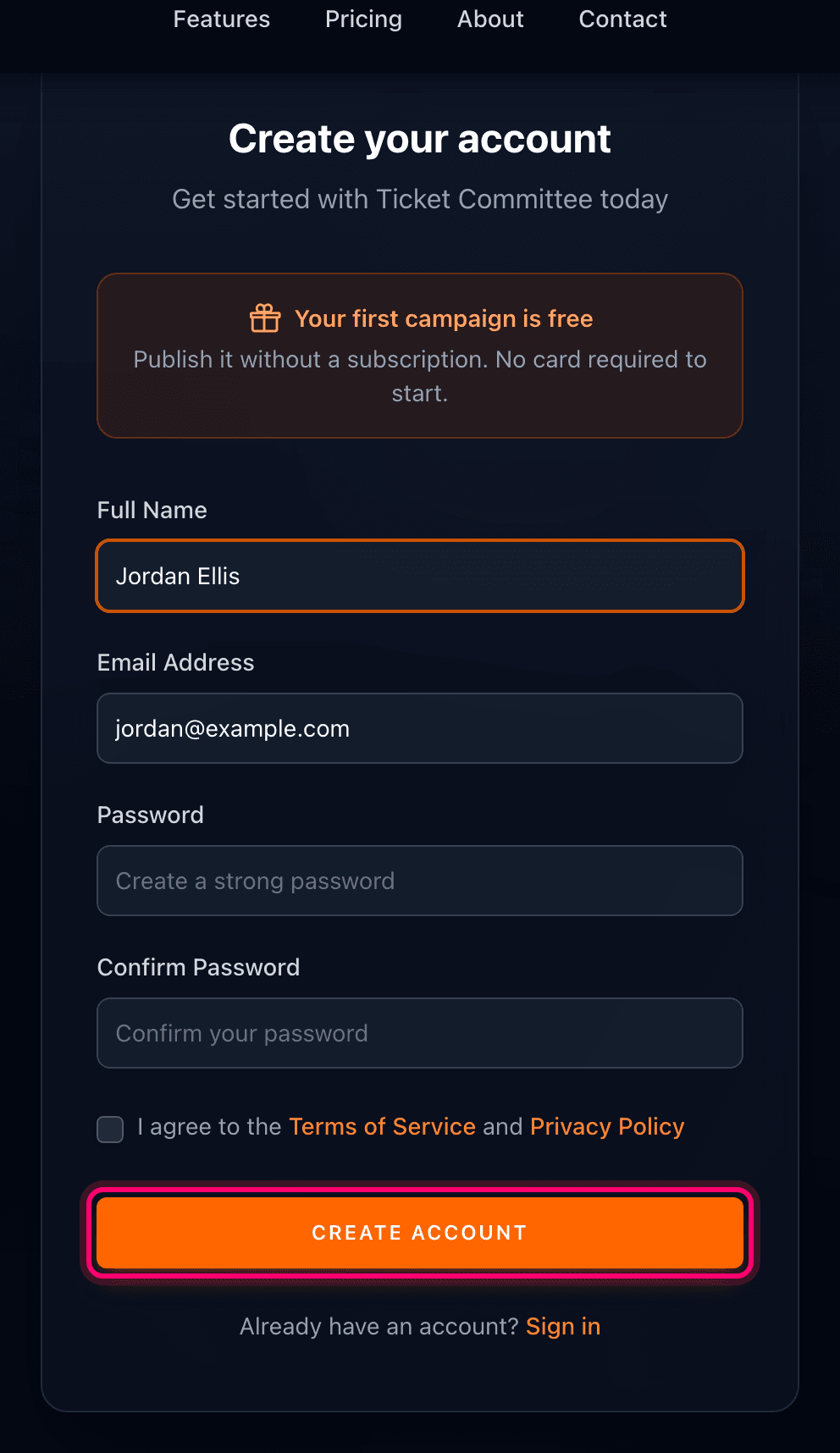
Section titled “Sign up”- Go to ticketcommittee.com and click Get Started.
- On the Create your account page, fill in:
- Full Name
- Email Address
- Password and Confirm Password
- Check I agree to the Terms of Service and Privacy Policy.
- Click Create Account.
Verify your email
Section titled “Verify your email”Right after signing up you’ll see a Verify your email screen. We send a verification link to the address you signed up with. Click the link in that email to activate your account. You can’t create an organization or events until your email is verified.
Didn’t get it?
- Check your spam, junk, or promotions folder.
- Click Resend Verification Email on the verification screen to get a fresh link.
- If you typed your address wrong, click Sign out and sign up again with the right one.
Already have an account?
Section titled “Already have an account?”Click Sign in at the bottom of the sign-up page, or go straight to the sign-in page from ticketcommittee.com.
What’s next
Section titled “What’s next”Once you’re verified, you’ll set up your organization. If someone already invited you to their organization, you’ll see that invitation instead and can join with one click.