
For AI
Dynamic pricing
Change a ticket's price automatically by date, timing, or how many have sold
Dynamic pricing changes a ticket’s price automatically, with no code for buyers to enter. Use it for an early-bird discount that ends on a date, a price bump in the last week, or a price that rises once the first 100 tickets sell.
Add a pricing rule
Section titled “Add a pricing rule”Dynamic pricing is available once a ticket type has been created.
- Go to Tickets and open the ticket type.
- Expand the Advanced section.
- Under Dynamic pricing, click Add a pricing rule and choose a rule type.
- Fill in the rule’s fields.
- Click Save changes.
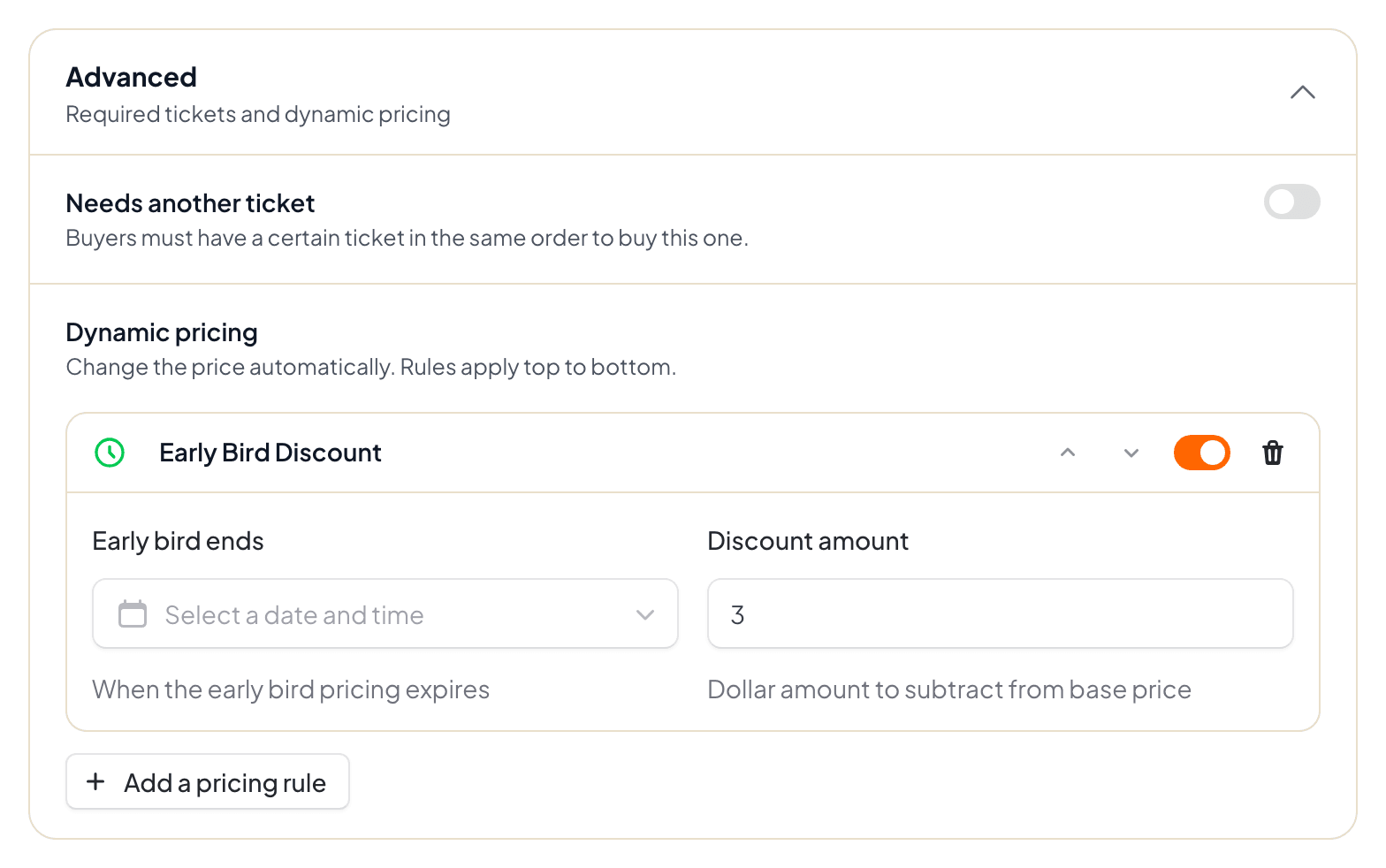
Each rule has a switch to turn it on or off without deleting it, and a trash button to remove it. Click a rule’s name to show or hide its fields.
Rule types
Section titled “Rule types”All amounts are based on the ticket’s regular Price.
Early Bird Discount
Section titled “Early Bird Discount”Offer a lower price until a set date and time.
| Field | What to enter |
|---|---|
| Early bird ends | When the discount stops. |
| Discount amount | Dollars to take off the price. Must be more than 0. |
Date Range Pricing
Section titled “Date Range Pricing”Change the price between two dates, up or down.
| Field | What to enter |
|---|---|
| Start date | When the price change begins. |
| End date | When it ends. Must be after the start date. |
| Adjustment type | Fixed amount ($) or Percentage (%). |
| Adjustment amount | A positive number raises the price. A negative number lowers it. For example, -10 with Percentage (%) is 10% off. |
Last Minute Surge
Section titled “Last Minute Surge”Raise the price as the event gets close.
| Field | What to enter |
|---|---|
| Days before event | How many days before the event start the higher price kicks in, like 7. |
| Surge amount | Dollars to add to the price. Must be more than 0. |
The surge ends when the event starts.
Demand-Based Pricing
Section titled “Demand-Based Pricing”Change the price once a certain number of this ticket have sold.
| Field | What to enter |
|---|---|
| Tickets sold threshold | When this many of this ticket have sold, the price changes. |
| Price change | Dollars to add (positive) or subtract (negative). |
When rules combine
Section titled “When rules combine”- You can use different rule types on the same ticket, and they stack. For example, an early-bird discount and a last-minute surge can both be set up; each applies during its own time.
- If you add more than one rule of the same type, only one of them applies at a time.
- The price never goes below $0.
What buyers see
Section titled “What buyers see”When a rule lowers the price, buyers see the regular price crossed out next to the new price, plus a Save amount. When a rule raises the price, they just see the new price. The order summary uses the adjusted price.
Related
Section titled “Related”- Sale windows: another way to run an early-bird ticket
- Promo codes