
For AI
Require another ticket
Only let buyers get a ticket when a certain other ticket is in the same order
Some tickets only make sense alongside another one. A parking pass needs a general admission ticket. A child’s meal needs an adult dinner ticket. Needs another ticket makes sure buyers can’t purchase one without the other.
Set it up
Section titled “Set it up”You need at least two ticket types for this option to appear.
- Go to Tickets and open the ticket that depends on another one (for example, Parking Pass).
- Expand the Advanced section.
- Turn on Needs another ticket.
- Under Required ticket, choose the ticket buyers must have (for example, General Admission).
- Decide whether to limit the ratio (see below).
- Click Save changes.
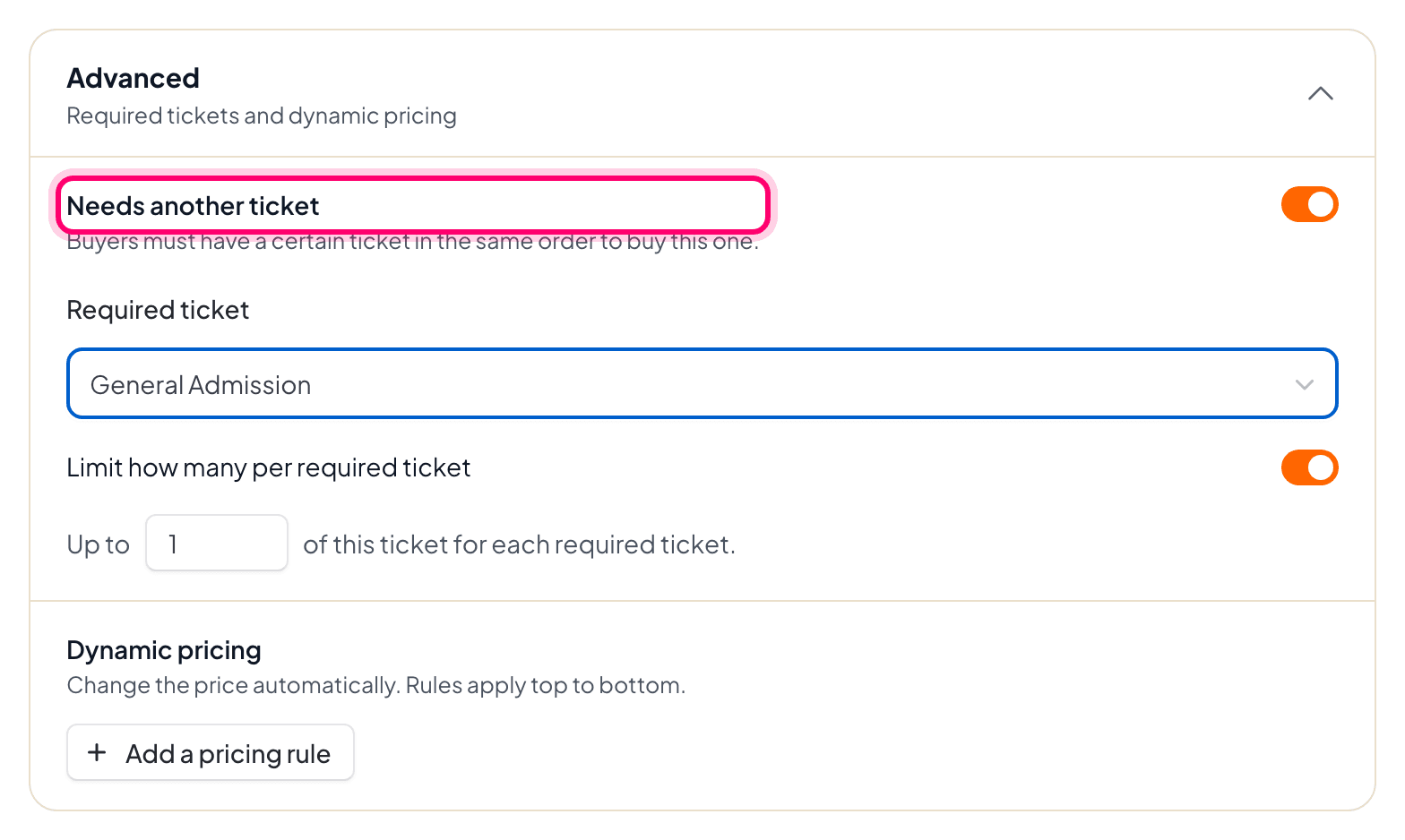
Limit how many per required ticket
Section titled “Limit how many per required ticket”Limit how many per required ticket is on by default. With it on, set Up to [number] of this ticket for each required ticket.
| Setting | Result |
|---|---|
| On, up to 1 | One parking pass per general admission ticket. 3 GA tickets allow up to 3 passes. |
| On, up to 2 | Two child meals per adult ticket. |
| Off | Any number, as long as the order has at least one required ticket. |
What buyers see
Section titled “What buyers see”On your event page, the dependent ticket shows Requires: followed by the required ticket’s name.
If a buyer tries to add it first, they’ll see a message asking them to add the required ticket. If they try to go over the ratio, they’ll see how many they’re allowed. They can’t continue to checkout until the order follows the rule.
Turn it off
Section titled “Turn it off”Open the ticket, turn off Needs another ticket, and click Save changes.
Related
Section titled “Related”- Add ticket types
- Per-order limits
- Cart add-ons: extras like parking can also be sold as add-ons