
For AI
Sell add-ons at checkout
Offer extras like parking passes or T-shirts alongside tickets
Cart add-ons are extra items buyers can add to their order during checkout, like a parking pass, a T-shirt, or a meal. They aren’t tickets, so they don’t create attendees. They’re just extras with a price.
Go to Settings → Cart add-ons (under Selling). If you don’t see this page, add-ons aren’t available on your plan.
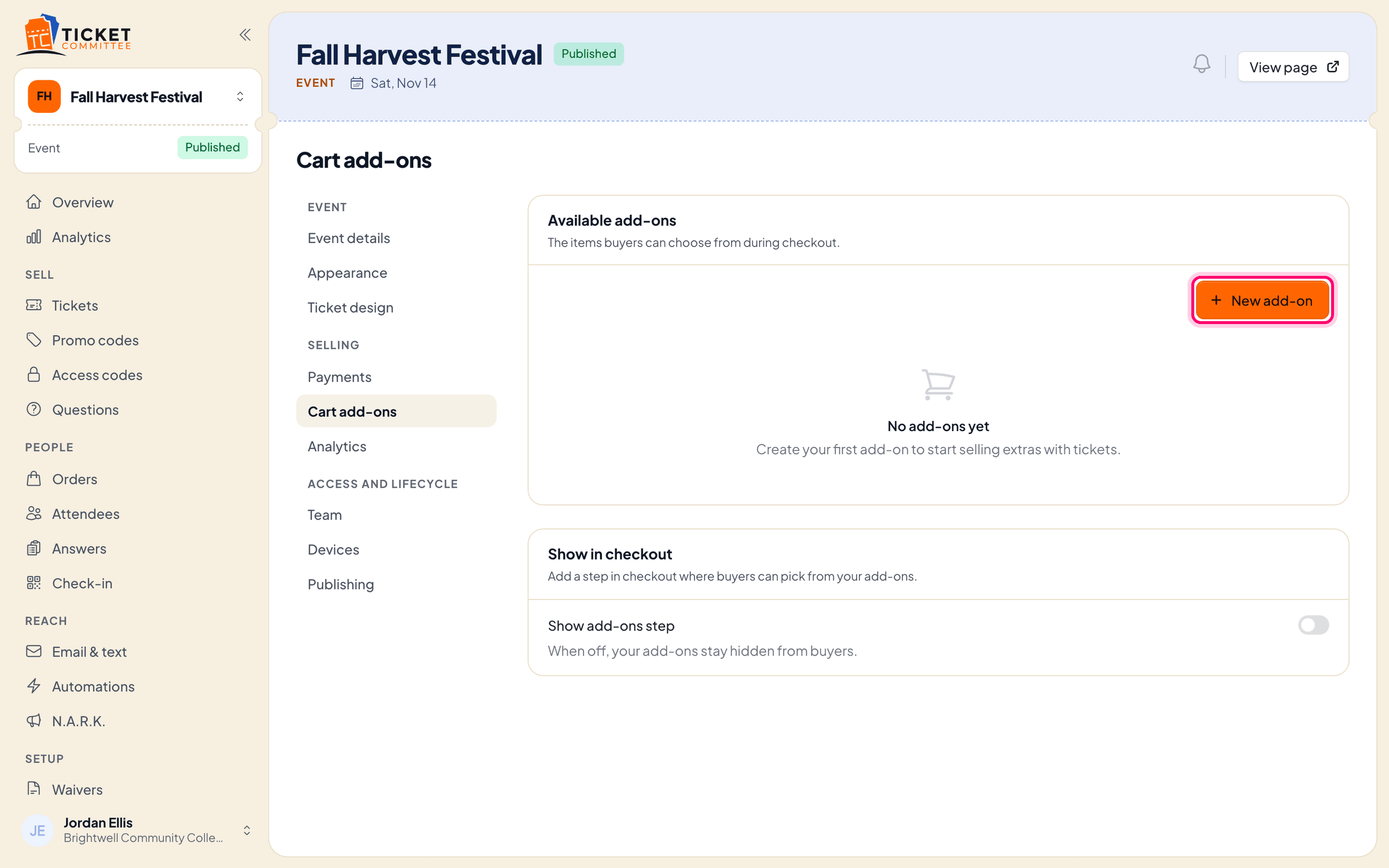
Create an add-on
Section titled “Create an add-on”-
Under Available add-ons, click New add-on.
-
Fill in the form:
Field Notes Name Required. Up to 100 characters, like “Parking Pass”. Price Required. Enter 0for a free item.Description Optional. What the buyer gets. Up to 500 characters. Stock limit (optional) How many you can sell. Leave blank for unlimited. Image Optional. A photo of the item, up to 2MB. Active (visible to buyers) Uncheck to hide the add-on without deleting it. -
Click Save add-on.
Each add-on in the list shows its price. If it has a stock limit, a badge shows how many have sold (for example, “12/50 sold”). Inactive add-ons are marked Inactive.
Show add-ons in checkout
Section titled “Show add-ons in checkout”Creating add-ons isn’t enough on its own. Under Show in checkout, turn on Show add-ons step. This adds a step to checkout where buyers can pick from your add-ons. When it’s off, your add-ons stay hidden.
Edit, hide, or delete an add-on
Section titled “Edit, hide, or delete an add-on”Click the ⋯ button next to an add-on:
- Edit: change any detail. If you don’t upload a new image, the current one is kept.
- Deactivate / Activate: hide or show the add-on to buyers.
- Delete: remove it for good. Existing orders aren’t affected.