For AI
Hidden tickets
Hide a ticket type so only people with a special link can see and buy it
A hidden ticket doesn’t appear on your public event page. Only people who open a special link can see it. Use hidden tickets for sponsors, staff, performers, comps, or a members-only price.
Hide a ticket
Section titled “Hide a ticket”- Go to Tickets and open the ticket type (or create a new one).
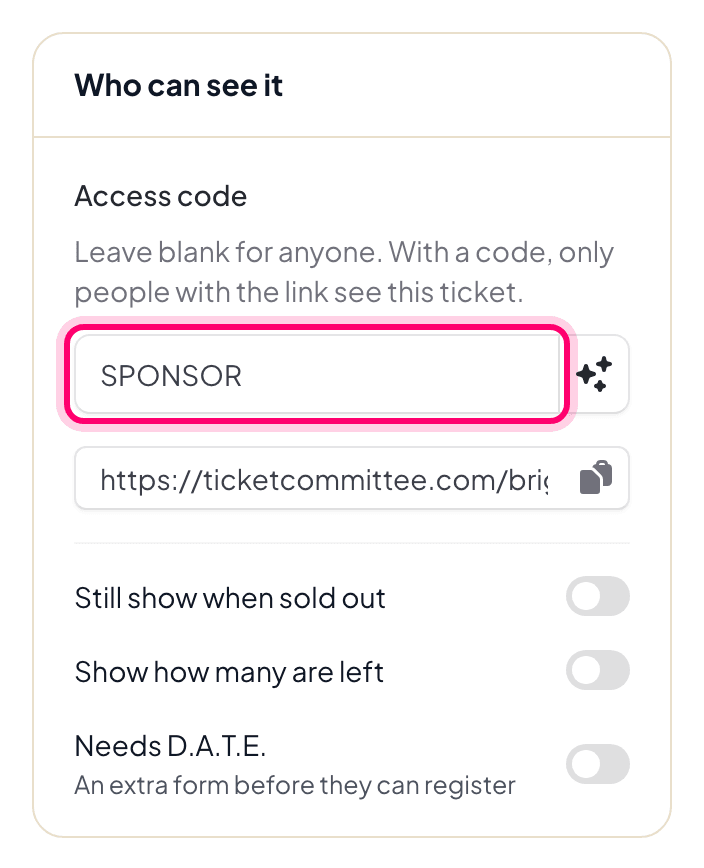
- Under Who can see it (on the right side of the screen), enter an Access code, like
SPONSOR2026. Or click the sparkle button next to the field to make a random code. - Click Save changes (or Create ticket type).
Once the ticket has a code, a link with the code appears right under the field. Click the copy button to copy it.
On the Tickets list, the ticket shows a Hidden badge and the note Needs an access code.
To make the ticket public again, clear the Access code field and save.
Display options
Section titled “Display options”Also under Who can see it, you’ll find two switches that work for any ticket, hidden or not:
| Option | What it does |
|---|---|
| Still show when sold out | Keeps the ticket on your event page, marked Sold out, instead of hiding it once it sells out. |
| Show how many are left | Shows a “left” count on the ticket (like 12 left) so buyers know it’s limited. Only works when the ticket has a quantity. |
Share the link
Section titled “Share the link”Send the link to the people who should have access, by email, text, or in a sponsor packet. It’s your normal event link with ?code= and the code added to the end, like:
ticketcommittee.com/your-organization/your-event?code=SPONSOR2026
When someone opens it, they see your public tickets plus the hidden one, marked Special Access.
Early access
Section titled “Early access”A link with a valid code for a ticket that’s currently on sale also lets that person into the event page before the event’s public sales open. That makes hidden tickets handy for presales: share the link with members a few days early.