
For AI
Donors and sponsors
Credit the people who gave your lots, and feature presenting sponsors
Silent auctions have two ways to thank supporters. Donors gave specific lots, and their names and logos show with those lots. Presenting sponsors back the whole auction, and they’re shown on every public page.
Add a donor
Section titled “Add a donor”- Open your auction and go to Donors.
- Click Add donor.
- Fill in the Contact details:
- Business or person: the name bidders see. Required.
- Contact, Phone, and Email: who to reach for thank-yous and follow-ups.
- Notes: only your team sees these.
- Under Logo, drop in a logo (PNG, JPG, or GIF, up to 10 MB). It’s shown with their lots on the auction page and display board.
- Click Add donor.
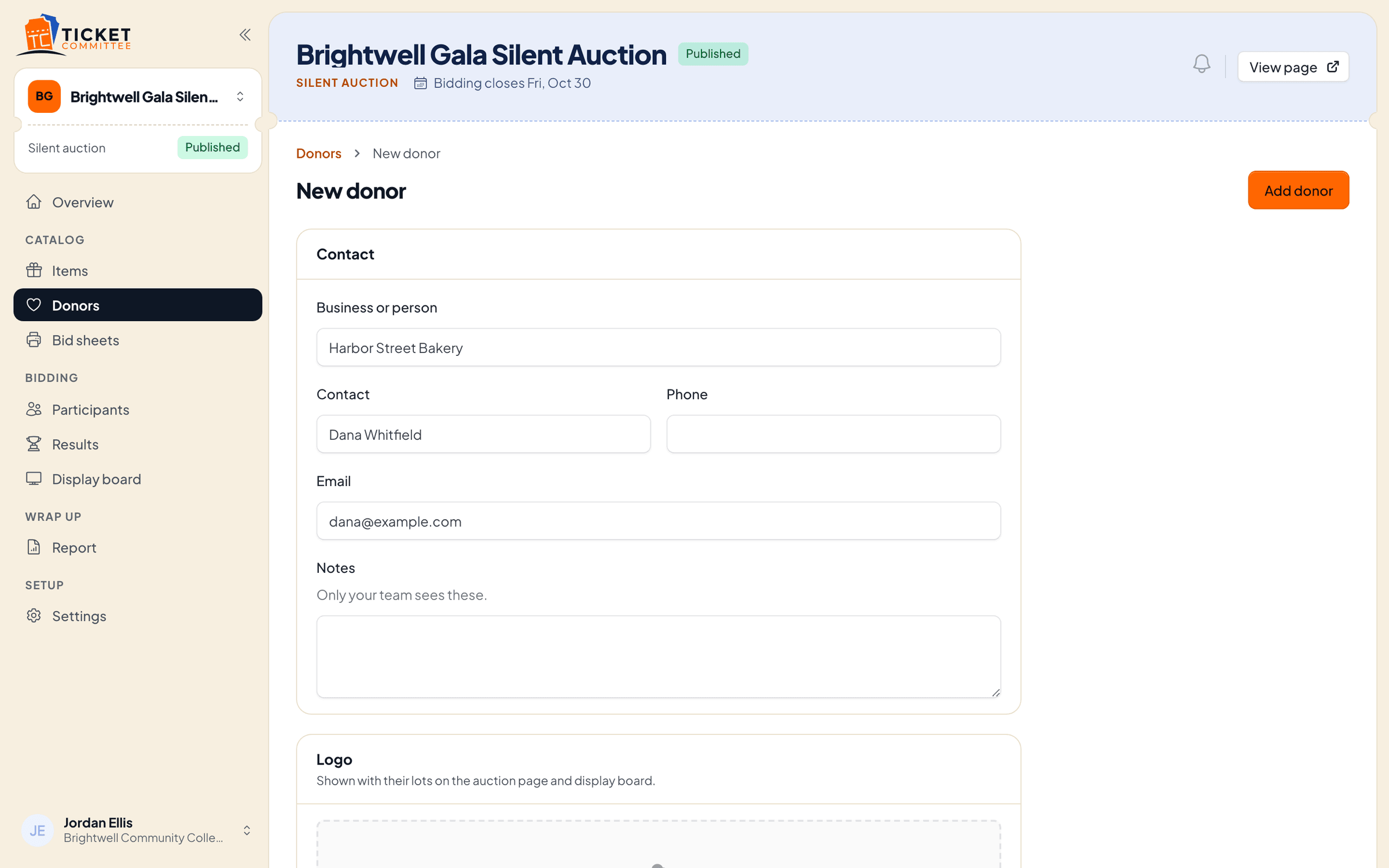
You can also create a donor straight from an item. In the item’s Donated by field, choose Create new.
Credit a donor on an item
Section titled “Credit a donor on an item”Open the item and pick one or more donors under Donated by, then click Save. An item can have several donors. Each donor’s page lists the Lots they gave.
Import donors
Section titled “Import donors”On the Donors page, click Import. Click Download CSV template to get the columns, fill it in, upload it, and click Import. Logos from links in the file are downloaded in the background.
You can also bring donors in along with items. See Import items in bulk.
Edit or delete a donor
Section titled “Edit or delete a donor”Click a donor in the list, make changes, and click Save. The organization owner can delete one from More → Delete donor. They come off every lot they’re on, and this can’t be undone.
Presenting sponsors
Section titled “Presenting sponsors”Sponsors appear in a band on every public page of your auction. A sponsor without a logo shows their name instead. You can add up to 6.
- Go to Settings → Sponsors.
- Enter the Sponsor name.
- Optionally add a Website and a Logo (up to 2 MB).
- Click Add sponsor.
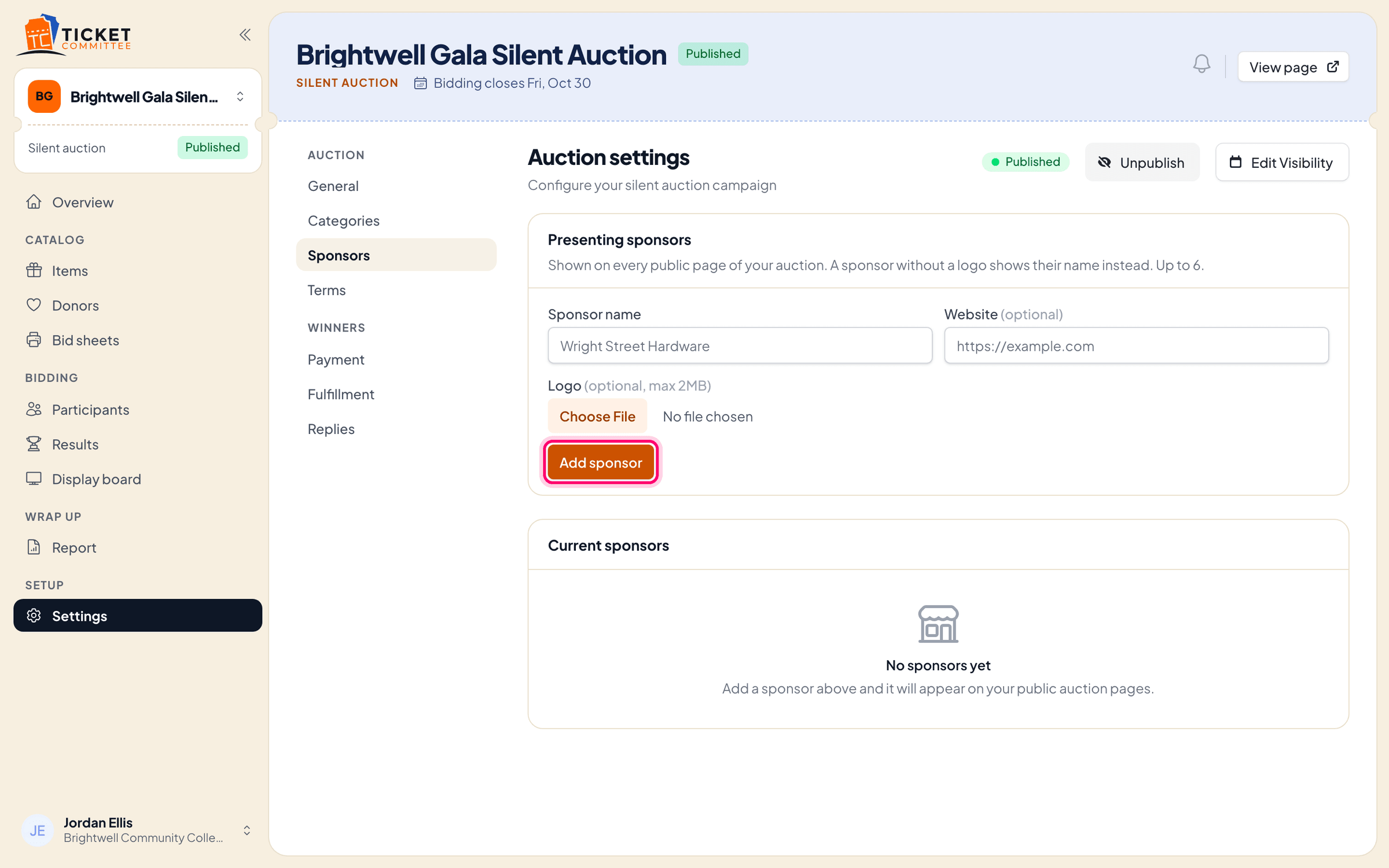
Under Current sponsors, click Edit to change a sponsor’s details or replace their logo, or Remove to take them off your pages.
Donors in the report
Section titled “Donors in the report”The end-of-auction report has a Donors table showing what each donor gave, how many of their lots sold, the stated value, and what their lots raised. It’s handy for thank-you letters.